
Boost your creative projects with advanced model chaining and custom assets.
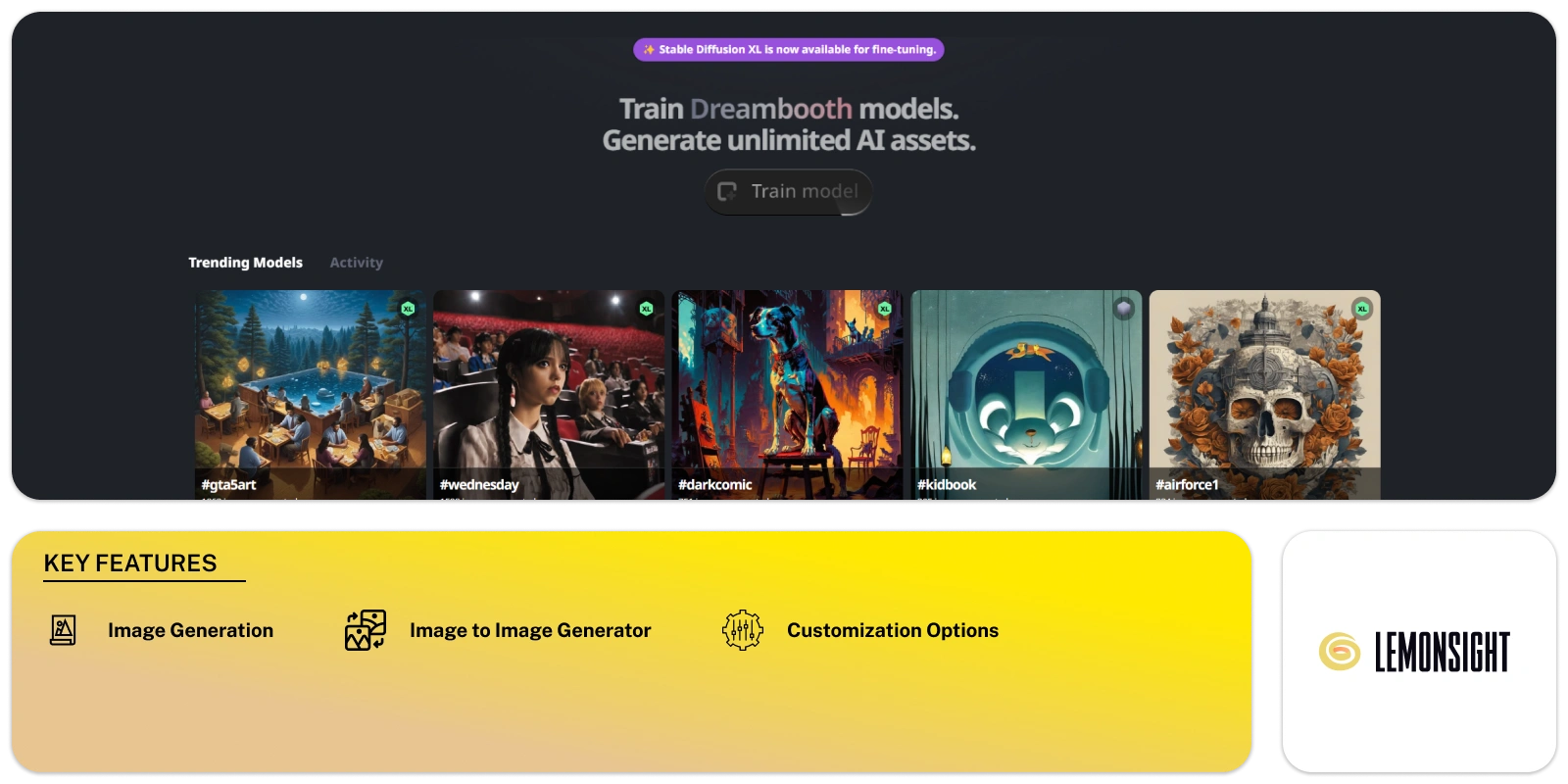
TrainEngine.ai is a powerful tool for creating and training image models. It’s made for artists and creatives who want to explore digital art. You can use this platform to build custom models called “Train Dreambooth Models.” These models help you generate a wide range of AI assets quickly and with ease.
One key feature is the ability to chain models together. This means you can link several models, boosting their combined performance. As a result, your output becomes stronger and more diverse. The tool allows you to create endless digital assets, from AI art to other forms of image content. This feature gives you more ways to express your ideas and improve your creative process.
By using this platform, you can test AI technology and try new forms of artistic expression. You have the freedom to explore various projects, like making digital art or designing concepts. For example, you might create pieces like “#GTA5Art” or graphic designs such as “#META-GUN-CONCEPTS.” The range of options is wide, making the tool useful for many creative tasks.
The platform opens doors to new possibilities for you. It supports artists who want to mix AI into their work, giving you more tools to shape the future of digital art. It’s built to help you experiment, create, and push your creative limits.
Create unique images based on text prompts.
Describe your desired artwork in detail, specifying elements like the setting, characters, style, and mood, and the AI will interpret your words and generate stunning visuals.
Upload your existing photos and apply stunning artistic effects with the AI’s help.
Allows you to combine the outputs of different AI models in creative ways. Create hybrid artworks by taking elements from various styles and models, pushing the boundaries of traditional image generation.
| Plans | Monthly Cost | Annual Cost |
|---|---|---|
You can create a model by uploading your data and selecting options to fine-tune it. The platform guides you through each step, helping you set up your model efficiently.
A Train Dreambooth Model is a custom model you build and train. Once it’s ready, you can use it to generate a variety of AI-generated images or other digital assets.
Yes, you can chain models together. This allows you to link different models and boost their combined output, making your work more dynamic and flexible.
The platform supports various projects, including digital art, graphic design, and concept creation. You can work on anything from AI-generated art to graphic designs, such as game art or concept images.
There are no strict limits on the variety of assets you can create. You can produce as many AI-generated images and digital assets as you need, depending on the models and data you provide.
To improve quality, provide clear and relevant data for training. The platform offers fine-tuning options to enhance your model’s output based on your specific needs.
Both beginners and advanced users can use the platform. It provides user-friendly tools and guidance to help beginners start, while offering more advanced options for experienced users.
Chaining models lets you combine their strengths. Each model adds its unique input, which enhances the overall quality and range of the generated assets.
The platform offers detailed guides, tutorials, and support to help you resolve issues. You can also reach out to the support team for more personalized help.
TrainEngine.ai allows artists to explore AI-generated art and create diverse digital assets. You can easily experiment with new ideas and techniques, enhancing your creative process.
Start free, or take the trial to explore premium features across all your devices.
Visit TrainEngine →
AI photo editing: Remove backgrounds and enhance images.

Reimagine memories, moods, and moments in vibrant hues.
Conjures captivating images at your command.
Your trusted AI copilot for crafting stunning art with just a click.

Changing ideas into artwork with one click and simplifies AI image creation for everyone.

Erase, Enhance, Enjoy: Remover by ZMO.AI