

Transform text prompts into stunning textures, seamless animations, and lifelike scenes.
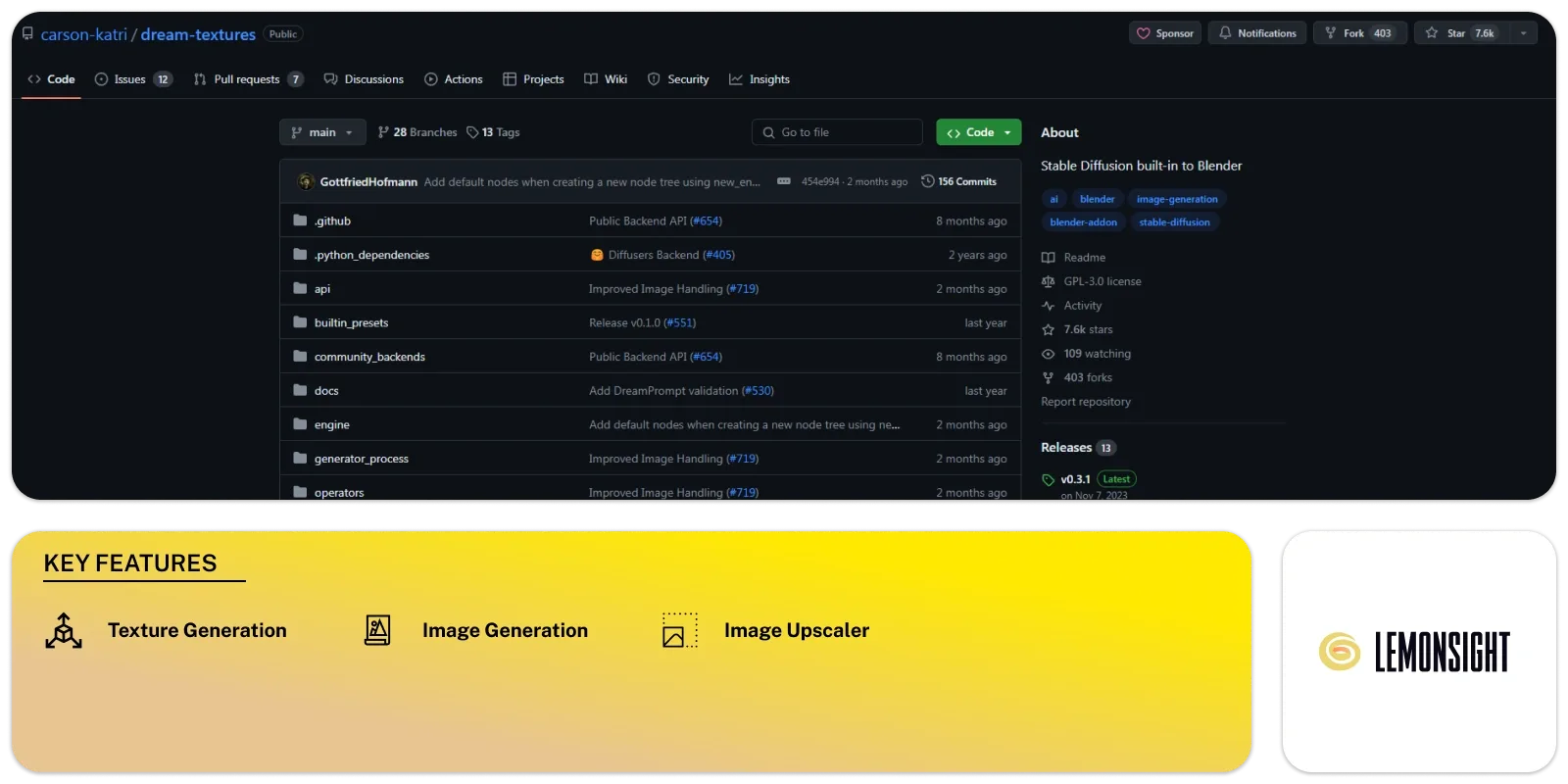
Dream Textures is a versatile AI tool designed to help users easily create textures, concept art, background assets, and more. It allows users to generate textures that tile with no visible seams, enhancing the quality of their designs. With its ‘Project Dream Texture’ feature, users can texture entire scenes with depth, adding depth and realism to their images.
Installing this tool is easy; users have to download the latest version and follow the instructions. But, macOS users may face a quarantine issue with dependencies. The issue can be resolved by executing a command in the app Terminal.
The tool offers image generation, texture projection, inpainting/outpainting, render engine, AI upscaling, and history recall. Users can generate textures and concept art using simple text prompts. They can also customize configurations and create complex effects using its node system.
Texture projection allows users to texture models and scenes. The inpainting feature lets them fix images and convert existing textures into easy ones. Users can increase the size of an image through outpainting in any direction.
The platform is compatible with CUDA, Apple Silicon GPUs, and over 4GB of VRAM. As detailed in the release notes, users can use DreamStudio for cloud processing in case of unsupported hardware.
Dream Textures simplifies the process of texture creation and manipulation. It offers a range of features that cater to various user needs. This AI tool streamlines workflows and enhances the quality of digital artwork for artists, designers, and hobbyists alike.
Texture Generation:
Create seamless textures for various design projects.
Inpainting:
Inpaint to fix up images and convert existing textures into seamless ones.
Outpainting:
Outpaint to increase the size of an image by extending it in any direction.
Rendering:
Use its node system to create complex effects and render scenes with enhanced visual appeal.
Image Upscaler:
Upscale low-resolution images by 4x, enhancing their quality and detail.
Cloud Processing:
DreamStudio offers cloud processing to access the tool’s functionalities remotely.
Image Generation:
Generate textures, concept art, background assets, and more with simple text prompts.
Animation Restyling:
Restyle animations using the Cycles render pass for easy modification and enhancement.
| Plans | Monthly Cost | Annual Cost |
|---|---|---|
| Free | – | – |
Start free, or take the trial to explore premium features across all your devices.
Visit Dream Textures →
Transforming flat images into mesmerizing 3D animations, one pixel at a time.

Where design meets efficiency, unlocking over 60,000 possibilities with web-based ease.

Streamline and enhance your interior design experience effortlessly.
Craft immersive 3D worlds with AI-generated textures and seamless integration with Decentraland.

Transforming sketches into architectural masterpieces with the speed of thought.

Transform your product photos and videos in just one minute with cutting-edge AI.